

When it comes to research peptides and small molecules, one of the biggest challenges online businesses face is credit card processing. These products fall into a high risk category, which makes traditional processors unreliable, inconsistent, or outright unavailable.
That is exactly why we use Azeban Pay.
Azeban Pay is a secure checkout solution that allows you to safely use your credit card while also protecting our business and ensuring uninterrupted access to the products you rely on.
Below is a simple walkthrough of how Azeban Pay works and what to expect when you use it.
Why We Use Azeban Pay
Research peptides exist in a regulatory gray area. Because of this, standard payment processors often shut down accounts with little warning. Azeban Pay solves this problem by acting as a compliant intermediary, allowing credit card payments to go through without putting your order or our platform at risk.
The process is safe, secure, and designed to feel as seamless as possible.
Step by Step: How to Use Azeban Pay
- Add Products to Your Cart
Shop the website as you normally would. Add your desired products to your cart and proceed to checkout.
- Enter Your Personal Information
At checkout, enter your standard information such as name, shipping address, email, and any other required details. This part of the process is exactly the same as a normal online purchase.
- Choose Azeban Pay as Your Payment Method
When you reach the payment section, you will see multiple payment options. Select the radio button labeled Azeban Pay.
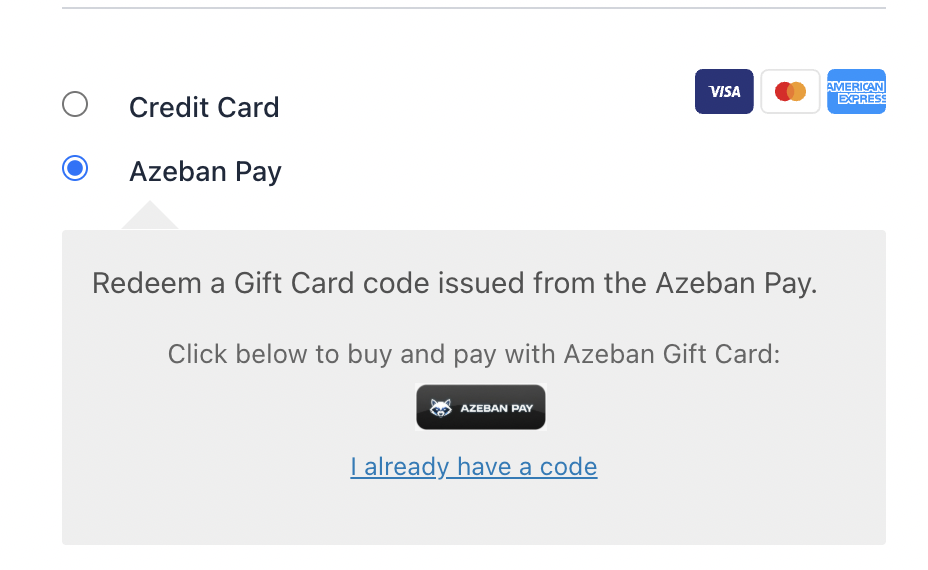
Once selected, you will be redirected to Azeban Pay’s secure checkout page.
- Complete Checkout Through Azeban
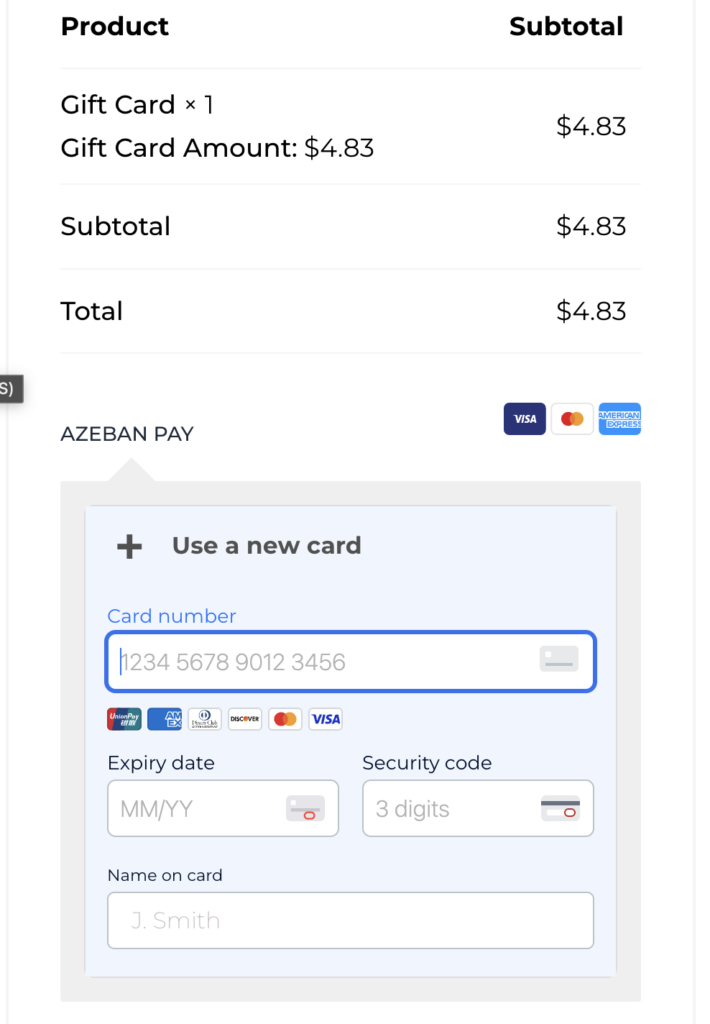
On the Azeban Pay page, you will notice that your purchase has been converted into a gift card transaction.
For example: If you are purchasing BPC-157 for $56.00, Azeban will show that you are buying a gift card for $56.00.
This is normal and intentional. It is how Azeban Pay enables compliant credit card processing for these types of products.
- Enter Your Credit Card Information
Enter your credit card details in the designated payment area on the Azeban Pay checkout page. Once entered, submit the payment.
- Click to Complete Your Order
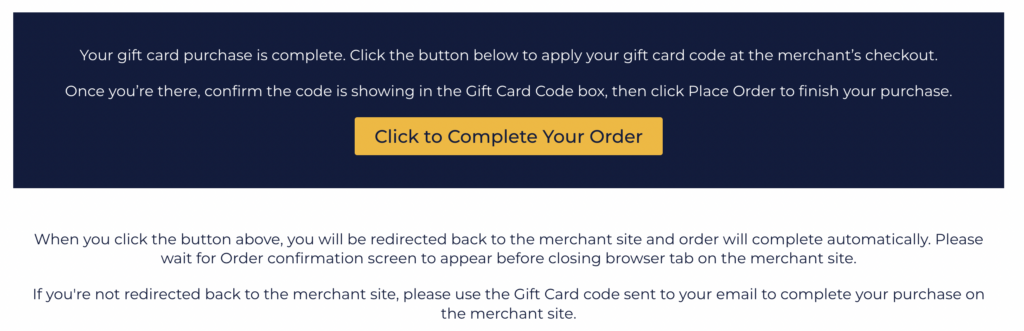
After your payment is processed, you will be taken to a confirmation screen that includes a large yellow button labeled:
Click to Complete Your Order
This step is critical.
You must click this button to finalize the transaction and complete your order. Skipping this step may result in the order not finishing properly.
- Order Confirmation
Once you click the yellow button, you will be redirected back to our website and shown an order confirmation page.
Your order is now complete.
Email Confirmation and Gift Card Code
After checkout, you will receive an email containing your gift card code. This email acts as an additional confirmation of your completed transaction.
You do not need to manually apply this code or take any further action. Your order has already been successfully processed and confirmed on our system.
Final Notes
Azeban Pay allows us to continue offering high quality research products while providing you with a reliable and secure way to use your credit card.
If you ever have questions about the checkout process or run into issues, our support team is here to help (info@undergroundpharm.co).